
How Does A Yelp Auto Responder Handle Customer Reviews?
Author:
Intellectual Market Insights Research
Published Date:
07 Oct 2026
Getting customer reviews and messages on Yelp is great, but replying to every one can be difficult when you are busy. You need to read what the customer said, understand what they want, and write a response that feels right for the situation. If several messages come in together, it is easy to delay a reply or send something that sounds too general.
A Yelp auto responder helps by reading new customer activity and using the details available to create a relevant response. Instead of checking Yelp constantly and writing every reply yourself, you can let automation handle the first response and guide the customer toward the next step.
But how does this actually work? To understand that, it helps to look at what happens when a customer reaches out and how the response is created from that first interaction.
1. Detect New Yelp Reviews for Automated Responses
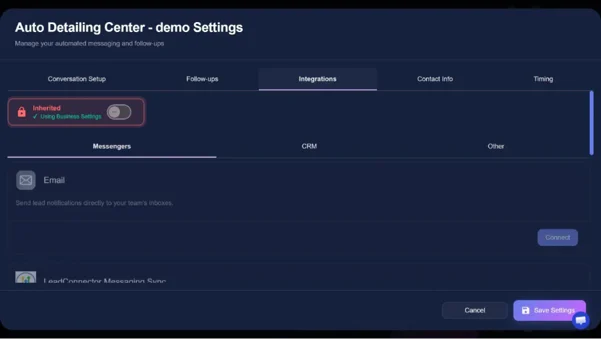
When a customer reaches out on Yelp, the first step is noticing the new activity. A Yelp auto responder can detect a new inquiry, read what the customer shared, and prepare a response based on those details. This means the customer gets a reply that starts with their message instead of a general response.
For a busy business owner, this can save a lot of time. The current Yelp workflow can create job-specific replies for new inquiries in under two seconds, including outside normal business hours. As a result, customers do not have to wait for you to notice the message and respond yourself.
From there, the reply can give the customer a useful next step. It may answer a question, share relevant information, or offer an available appointment time. This makes the first response more helpful while taking one more task off your plate.
2. Understand Customer Feedback Before Generating a Reply
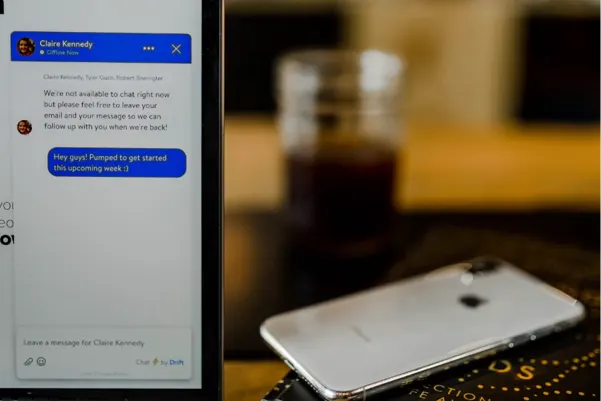
Reading a customer’s message is not enough; the responder also needs to understand what they are asking. It can look at details such as the service they need, their location, project timeline, and other information they provide. This ensures that the response is related to the customer's specific request.
For example, a Yelp Request a Quote message may include several project details, while a regular DM could be only a short question. The responder can use what is available and ask one simple question if something important is not available. That ensures the conversation continues without the customer having to answer a litany of questions.
Once the main need is clear, the response can point the customer in the right direction. It might help them get a quote, share booking information, or provide another useful next step. Instead of guessing, the responder works with the information the customer has actually shared.
3. Use Business Information to Create Relevant Responses
After understanding the customer’s request, the responder can use information you have provided about your business. This may include your services, price ranges, availability, and other details. Having this information helps the response match what you actually offer.
Suppose a customer asks about a service and wants to know what it may cost. Rather than sending a basic “Thanks for reaching out” message, the responder can use your configured price range and provide a more useful answer. It can also point the customer toward an available time if booking is the next step.
Keeping these details updated is important for accurate replies. If your prices, services, or availability change, you should update the information used by the responder. That way, customers are less likely to receive old or incorrect details.
4. Personalize Replies Based on Each Customer Experience
No two customer messages are exactly alike, so the response should not sound the same every time. A customer asking about a price may need a direct answer, while someone sending a vague message may need a simple question first. The details in each conversation help shape the response.
With a Request a Quote message, the responder may already have information about the project, location, and timeline. A short DM may give much less to work with, so the responder can focus on finding out what service the customer needs. This keeps the reply short and useful.
Because the response follows the details of the conversation, it can feel more natural. Customers get information that relates to what they actually asked instead of receiving a long message that does not apply to them. That makes it easier for the conversation to move forward.
5. Automate Timely Responses and Customer Follow-Up
Sometimes a customer does not reply after the first message. Instead of letting the conversation stop there, an automated follow-up can give the customer another chance to respond. This can be especially useful when you are busy and cannot keep checking Yelp throughout the day.
The Yelp workflow supports multiple follow-up messages and stops when the customer replies or books. That means you do not have to remember when to send another message yourself. The conversation can continue while you focus on serving customers.
Beyond follow-up, the process can also help move the customer toward booking. A response can offer a calendar option, while optional voice support can provide a callback after the initial text. These steps give the customer a simple way to continue the conversation when they are ready.
Conclusion
A Yelp auto-responder handles customer conversations by looking at what each person has shared and creating a response that fits the situation. Instead of sending the same message to everyone, it can use the available details to make the reply more useful.
The main benefit is simple: customers can get a timely response even when you are busy. When your business information stays up to date, automation can help keep conversations moving while giving you more time to focus on your customers and daily work.