
Understanding Layer 2 Vs Layer 3 Routing Capabilities In Campus Switches
Author:
Intellectual Market Insights Research
Published Date:
08 Oct 2026
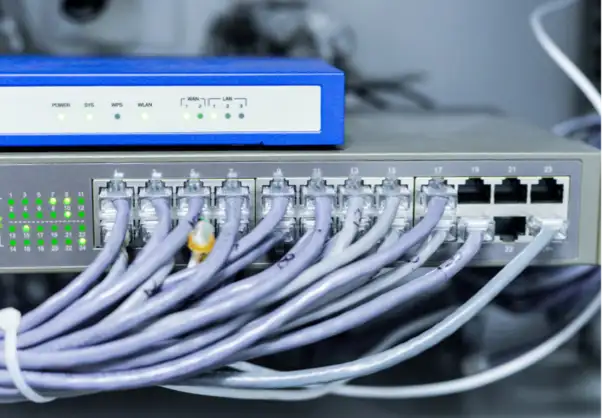
Understanding Layer 2 Vs Layer 3 Routing Capabilities In Campus Switches
The selection of a proper campus switch might be challenging when the Layer 2 and Layer 3 features appear close to each other. Both options process the network traffic differently. Selecting the wrong one may complicate network segmentation, routing, and management as your network expands.
The alternative, however, is to find out what each layer does. Layer 2 switches are used between devices in the same network segment, whereas Layer 3 switches may also be used to route traffic across networks. Understanding this distinction can enable you to suit switch capabilities to your network requirements.
There are a number of key differences between Layer 2 and Layer 3 capabilities. Let’s break down the key differences and factors to consider.
Layer 2 Switching Capabilities in Campus Networks
Campus switches that work at Layer 2 use MAC addresses to move Ethernet frames between connected devices. They are mainly used within the same local network or VLAN. Computers, phones, printers, and access points can connect through the switch.
VLANs can divide one physical network into separate logical groups. For example, employee and guest devices can use different VLANs. This keeps their traffic separate and makes the network easier to manage.
Port and uplink speeds also matter. Switches may support 1GbE, 2.5GbE, or 10GbE connections. PoE can also power devices such as access points, phones, and cameras through Ethernet.
Layer 2 alone does not route traffic between separate IP networks.
Layer 3 Routing Capabilities in Campus Networks

Layer 3 switches add IP routing to the switching functions of Layer 2. They use IP addresses to decide where network packets should go. This lets them move traffic between different networks.
This feature is useful when a campus network has several VLANs. For example, employees, guests, voice devices, and other systems can use separate networks. A Layer 3 switch can route traffic between these networks when access is allowed.
Larger networks may also need more ports and faster connections. Campus switch models can offer 24 or 48 ports, with 10GbE and selected 25GbE uplinks. These options support different network sizes and traffic needs.
Some Layer 3 switches also offer redundant or hot-swappable power supplies. These features can help keep the network running when the switch has a central role.
Key Differences Between Layer 2 And Layer 3 Switching
1. Traffic Forwarding and Routing
Layer 2 switches forward frames within the same network using MAC addresses. Layer 3 switches can also route packets between different IP networks.
This makes Layer 2 suitable for local connections, while Layer 3 can support communication between network segments. Your network structure should guide the right choice.
2. Network Segmentation and VLAN Support
VLANs can help you divide a campus network into smaller sections. With Layer 2 switching, devices can be grouped into different VLANs while keeping their traffic separated. This can make it easier to manage different groups of users and devices.
Layer 3 switching takes this a step further by allowing traffic to move between VLANs. For example, an employee VLAN may need to communicate with a server VLAN. A Layer 3 switch can handle this communication through inter-VLAN routing when the network rules allow it.
3. Performance and Scalability
As more users and devices join your network, its traffic needs can change. Layer 2 switching can handle local traffic well, but larger networks with several routed segments may need Layer 3 capabilities.
Port count is another factor that affects growth. Campus switches can range from smaller configurations to 24- and 48-port models. Faster uplinks, including 10GbE and selected 25GbE options, can also provide more capacity between parts of the network. Selecting enough capacity from the start can reduce the need for early hardware changes.
4. Security and Network Control
Network segmentation can also help you control how devices communicate. Layer 2 switches can use VLANs to separate groups of devices. Layer 3 switches can add routing controls between different IP networks.
Security features can provide another level of control. Some campus switch models support MACsec, which can help protect Ethernet traffic. Other management and access control features can also help you control who and what can connect to the network. These capabilities become more important when one network supports many users and device types.
Factors To Consider When Selecting Campus Switches
Start with your network structure, not just the number of ports. Think about how many devices you need to connect and whether they will use one network or several VLANs. If traffic must move between networks, Layer 3 routing may be needed.
Next, consider your bandwidth needs. Smaller networks may work well with Gigabit Ethernet. Larger setups may need 10GbE or 25GbE uplinks. Also, check whether your access points, phones, or cameras need PoE.
Management features should match your setup too. You may need console access, out-of-band management, USB ports, or support for a specific network operating system. Power options also matter when network uptime is important.
Finally, consider future growth. Choose a switch with enough capacity and features for your expected needs.
Conclusion
Layer 2 and Layer 3 switches both have useful roles in a campus network. Layer 2 focuses on local switching and VLAN-based segmentation, while Layer 3 adds routing between different IP networks. The right choice depends on how your network is organized and how devices need to communicate.
Consider your VLAN structure, bandwidth needs, port requirements, security features, and future growth before making a decision. With these factors in mind, you can choose campus switch capabilities that support your network today while leaving enough room for future changes.